
Tool
ScreenTester5
MariceUpdated
- v01.000.000
- 1.2 MB
- GPL-3.0-or-later
- zip
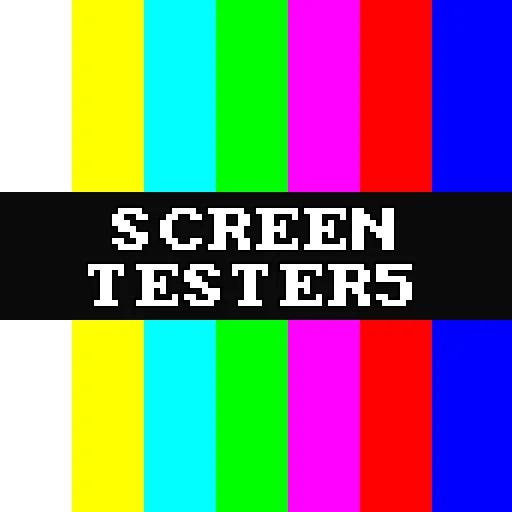
Screen tester: solid colours and test patterns to find dead or stuck pixels, check uniformity and geometry, and run stuck-pixel recovery.
Release notes
First native PS5 title release (homebrew.page catalog format). Tags now follow the contentVersion in sce_sys/param.json.
Added
- Native PS5 title build (title ID PPSA69420) with the ps5-native-app-boilerplate tooling: signed
eboot.bin,sce_sys,libc.prx, ready for ShadowMountPlus and the homebrew.page catalog. - The version number is shown in the control overlay.
LICENSE(GPL-3.0-or-later) andTHIRD_PARTY_NOTICES.md.
Changed
- Drawing goes into a 1080p framebuffer shown through libSceVideoOut; SDL2 is only used for the controller. Static screens are drawn once.
- Own mmap-based heap for the title sandbox (shared with OliSe Player).
Removed
- The websrv/elfldr payload build, the debug PKG source target and the L2 + R2 quit combination; close the app with the PS button.
Install: unzip PPSA69420.zip and copy the PPSA69420 folder to /data/homebrew/ (ShadowMountPlus).
Written by Marice for v01.000.000. See this release on GitHub
Safety
- Stays in the sandbox
- Built by the developer
The scan found no way for this app to reach beyond its own files: no payload, no connection to the payload loader, no request to a jailbreak service.
The developer built and uploaded this file by hand. Nothing ties it to the published source.
From an automatic scan of the release file, which is read and never run. It can miss things: it is not a guarantee. How the scan works
Install
Read the release notes and the project's documentation first. Some apps need extra setup, such as a payload, configuration or additional files, and the developer's instructions take precedence over the general steps below.
- Download
PPSA69420.zipand extract it on your computer. - Copy the extracted
PPSA69420/folder to/data/homebrew/on your PS5, for example over FTP. - A loader such as ShadowMountPlus picks it up. Launch ScreenTester5 from the home screen.
Verify
This listing is pinned to one exact file. sha256sum PPSA69420.zip must print:
49a5c6d7bbb08f5a1539feb65b7fd2b537b6d7b304bdd3eed1c923e4ccbec8fdThis app and its content are the responsibility of its developer, Marice. Homebrew runs with elevated access on a jailbroken console; install only what you trust.
Source
Marice/ScreenTester5Release 01.000.000
Details
- Title ID
- PPSA69420
- Version
- 01.000.000
- Format
- ZIP folder
- License
- GPL-3.0-or-later
- File
- PPSA69420.zip
- Updated